

Talaria mx3 display
Ultimate Guide to the Talaria MX3 Display: Features, Usage Tips, and More
If you’re an electric dirt bike enthusiast, you’ve likely heard of the Talaria Sting MX3, a powerhouse in the world of off-road riding. At the heart of this bike’s user experience is the talaria mx3 display, a compact yet essential component that keeps riders informed and in control during every adventure. In this comprehensive guide, we’ll dive deep into everything you need to know about the talaria mx3 display, from its core features and specifications to practical usage tips, troubleshooting advice, and even upgrade options. Whether you’re a new owner or considering adding this bike to your garage, understanding the talaria mx3 display can elevate your riding game.
Introducing the Talaria Sting MX3 Electric Dirt Bike
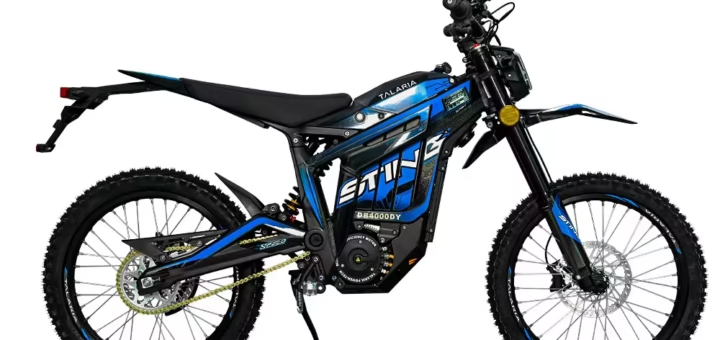
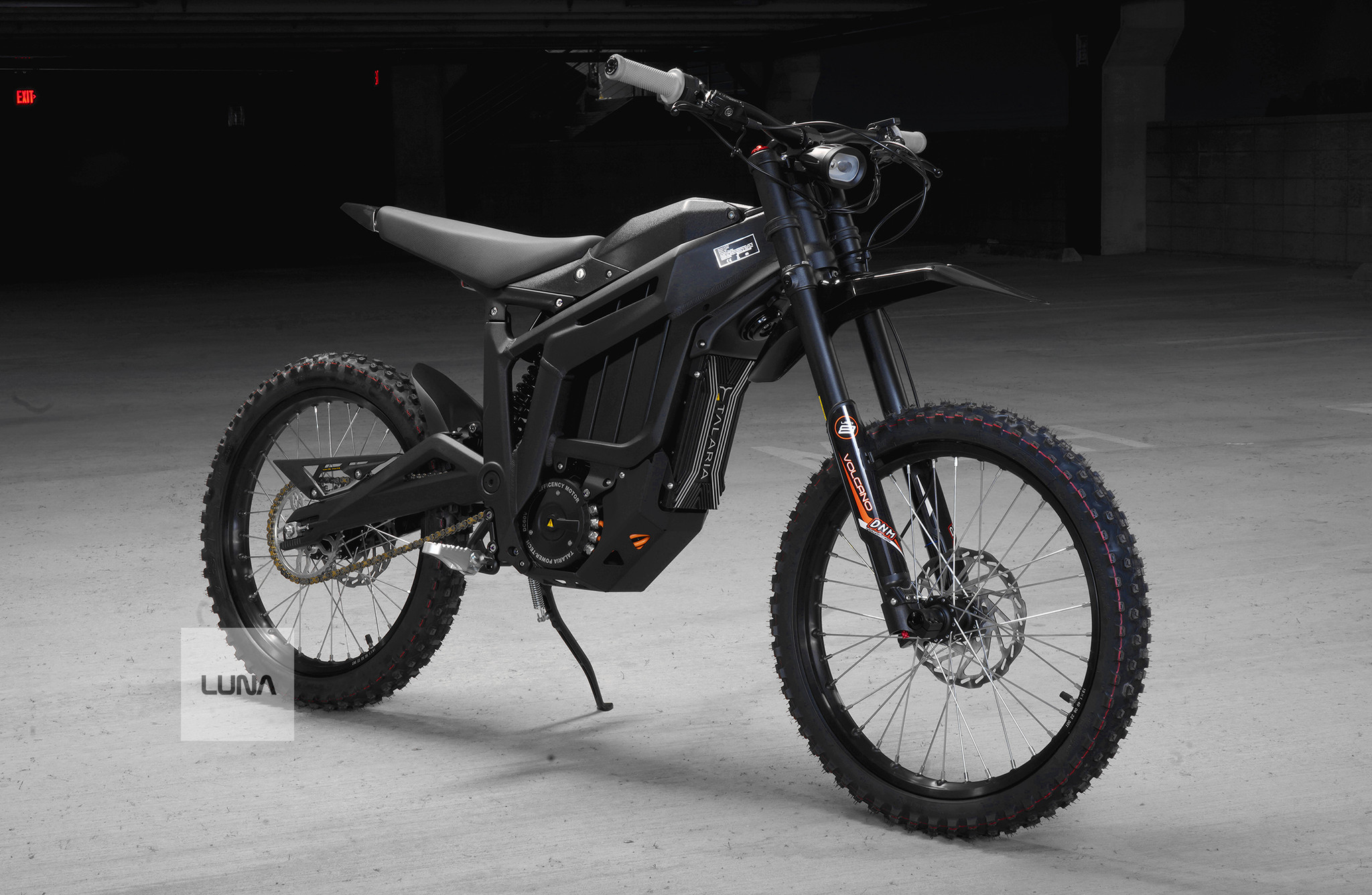
Before we zoom in on the talaria mx3 display, let’s set the stage with a quick overview of the Talaria Sting MX3 itself. This electric dirt bike is designed for thrill-seekers who crave performance without the noise and emissions of traditional gas-powered models. Born from innovative engineering, the MX3 features a CAD-designed lightweight frame that balances durability with agility, making it ideal for trails, tracks, and urban escapes.
The bike boasts impressive specs: a powerful electric motor delivering up to 6kW of peak power, a 60V 38.4Ah lithium-ion battery for extended range (up to 60 miles on a single charge depending on conditions), and a top speed of around 45-50 mph. It includes a gearbox for smoother throttle response compared to competitors like the Surron X, a larger rear tire for better traction, and a taller frame for improved ergonomics. Riders love its climbing ability of over 45 degrees, hydraulic disc brakes for precise stopping, and regenerative braking with four adjustable levels to extend battery life.
In reviews, owners praise the MX3 for its reliability—many report zero major issues after years of use, with only minor upgrades like wheels or seats needed for personalization. It’s not just a bike; it’s a gateway to silent, eco-friendly off-roading that feels like a motorcycle but handles like a high-end e-bike.
Overview of the Talaria MX3 Display
The talaria mx3 display acts as the bike’s central dashboard, mounted conveniently on the handlebars for at-a-glance visibility. This isn’t just a basic speedometer; it’s a sophisticated interface that connects to the bike’s controller to provide real-time data. Think of it as your ride’s command center, displaying essential metrics to help you monitor performance, battery health, and more.
Typically, the display is an OLED screen, known for its high contrast, vibrant colors, and excellent readability even under direct sunlight. Unlike older LCDs, OLED technology uses less power, which indirectly helps preserve your battery during long rides. The unit is compact, weather-resistant, and built to withstand the vibrations and dust of off-road adventures. It’s compatible with the MX3’s white connector setup (note: it won’t fit the MX4, which uses a black connector), and replacement units are readily available from OEM sources for around $85 to $150.
Why does the talaria mx3 display matter? In a fast-paced ride, quick access to information enhances safety and efficiency. No more guessing about your battery level or speed—everything is right there, reducing distractions and letting you focus on the trail ahead.
Key Features of the Talaria MX3 Display
What sets the talaria mx3 display apart are its thoughtful features tailored for electric dirt bike riders. Here’s a breakdown of the standout elements:
- Real-Time Metrics: At its core, the display shows current speed in mph or km/h, battery percentage for precise range estimation, and riding mode (e.g., Eco for efficiency or Sport for maximum power). It also includes an odometer for total miles traveled and a trip meter to track your current session.
- Additional Data Points: Depending on your setup, you might see error codes, estimated range, regeneration levels, or even advanced stats like battery voltage and temperature when paired with upgraded controllers.
- User-Friendly Interface: Navigation is simple with built-in buttons to cycle through screens or switch modes. The OLED screen ensures sharp visuals, and some models include a USB port for charging devices on the go.
- Durability and Visibility: Designed for outdoor use, it’s resistant to glare and easy to clean. The handlebar placement keeps it within your peripheral vision, promoting safer riding.
Compared to basic displays on entry-level e-bikes, the talaria mx3 display offers more integration with the bike’s electronics, making it a step up in functionality.
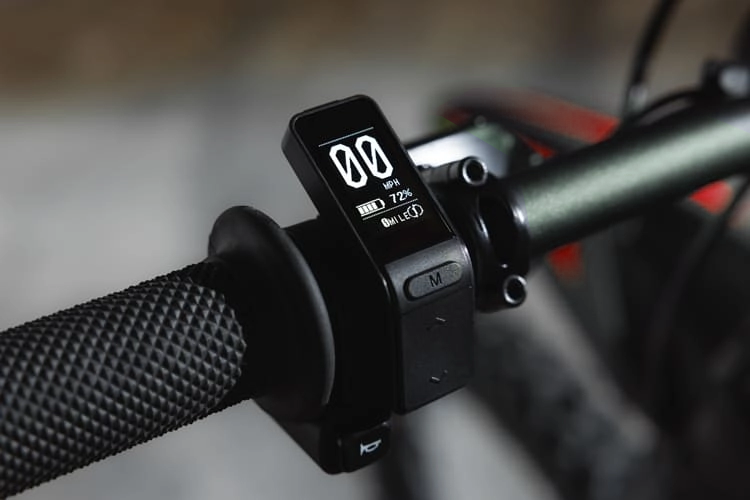
In user reviews, riders appreciate how the display’s brightness holds up in sunny conditions, though some note it can wash out slightly—nothing a quick glance can’t handle. For those upgrading from older models, the vibrant OLED is a noticeable improvement over dimmer screens.
How to Use the Talaria MX3 Display Effectively
Getting the most out of your talaria mx3 display starts with familiarization. Upon powering on the bike, the screen lights up automatically, showing default metrics like speed and battery level. Use the mode button (often labeled “M”) to toggle between riding modes—Eco for longer rides, Sport for bursts of speed.
To navigate: Press the up/down arrows to switch views, such as from speed to trip meter. Hold certain buttons to reset the trip counter or access hidden menus for calibration. For battery management, keep an eye on the percentage and use regenerative braking (adjustable via the display) to recapture energy on descents.
Pro tips:
- Plan rides based on battery data to avoid running out mid-trail.
- Integrate with apps if using a Bluetooth-enabled controller upgrade for logging rides.
- Customize modes for your style—lower power for beginners, full throttle for experts.
Regular use helps you interpret data intuitively, turning the talaria mx3 display into an extension of your riding instincts.

Troubleshooting Common Issues with the Talaria MX3 Display
Like any electronic component, the talaria mx3 display can encounter hiccups. Common problems include a blank screen (often due to loose connections or a blown fuse), flickering (from power supply issues), unresponsive buttons (dirt buildup or damage), or inaccurate readings (sensor faults).
Quick fixes:
- Check and secure all wiring after rough rides.
- Clean with a soft cloth and electronics-safe solution.
- Perform a soft reset: Turn off the bike, wait a minute, then restart.
- For error codes, refer to the manual—many indicate simple issues like low battery.
If problems persist, like cracks or electrical shorts, consult a dealer. Avoid DIY on complex fixes to prevent voiding warranties. Maintenance is key: Protect from extreme weather and update software if available.
In forums like Reddit, users report that most issues stem from installation errors in replacements, but OEM parts resolve them quickly.
Upgrades and Compatibility for the Talaria MX3 Display
Ready to level up? The talaria mx3 display supports various upgrades. Aftermarket options, like larger screens or those with more metrics (e.g., current draw or top speed logs), can replace the stock unit. Popular controllers like the EBMX X9000 or Nucular Electronics integrate seamlessly, unlocking Bluetooth connectivity and app-based customization.
Compatibility notes: Stick to MX3-specific parts with white connectors. Upgrades might require professional installation, especially for wiring. Costs vary, but enhanced displays start around $120.
Riders upgrading often cite better data visibility and personalization as game-changers, extending the bike’s lifespan and fun factor.

Comparison: Talaria MX3 Display vs. Other Models
How does the talaria mx3 display stack up? Against the MX4’s full-color TFT screen, it’s simpler but more power-efficient—ideal for budget-conscious riders. The Talaria X3’s display prioritizes basics for beginners, lacking the MX3’s vibrancy. Surron X equivalents offer similar features but without the MX3’s gearbox integration for smoother data feedback.
Overall, the MX3 strikes a balance: Functional, readable, and upgradeable without overwhelming new users.
Conclusion: Why the Talaria MX3 Display Enhances Your Ride
The talaria mx3 display is more than a gadget—it’s a vital tool that empowers riders with knowledge and control. From monitoring battery life on epic trails to troubleshooting on the fly, it embodies the innovation of electric dirt biking. If you’re investing in a Talaria Sting MX3, mastering this display will maximize your enjoyment and safety.
Ready to hit the dirt? Explore upgrades or replacements from trusted sources like Luna Cycle or official dealers. Share your experiences in the comments—what’s your favorite feature of the talaria mx3 display?